





PC Fan Always On or Noisy: How To Fix
One of the most important problems that many of the electronic components installed inside a computer has to deal with is 'heat dissipation'. If the hardware components (CPU, video card, motherboard,...
Update BIOS: How To Do It, What It Is For And When It Should...
When to update the BIOS and how to do this.
In general, it is essential to update the operating system and installed software (starting with web browsers, browser add-ons, messaging programs, and...
What Is A Neutral Router And What Is It For?
We are going to explain to you what exactly a neutral router is, since if you are looking to buy routers or hear about home configurations, surely it is a concept that...
HDMI cable, How to choose it and What are the differences
The HDMI cable allows you to transfer audio and video data using a connection that focuses on the multimedia stream's quality (HDMI stands for High-Definition Multimedia Interface ).
The first uses of...
How to Remove the Background From any Photo with GIMP
GIMP is free software that allows you to retouch any digital photograph. It is a multi-platform open-source program that allows you to meet the most diverse needs:
Resizing and cropping photos.
...
USB Type-C: What are The Characteristics of The Connector?
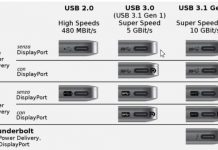
What is the USB Type-C connector, and what are its main peculiarities? We explain why the presence of a USB Type-C connector does not imply the automatic support of all potentially...
Delete Print Queue and Unlock Printer
If the printer refuses to print, the spooler might be the first person responsible.
Whether at home or in the office, one of the most common problems is sending documents to the...
Megabyte, Gigabyte, Terabyte, Petabyte: What Are The Differences
Today we are going to teach you what are the differences between the different storage units. We will take the most used, from the Byte to the Yottabyte through the Gigabyte or...